login imagelogin image
Products
Industries
Pricing
Resources
Company
  • Help Center
  • Faqs
  • Documentation
  • Campaign

Subscribe to our newsletter for the latest updates and insights.

Stay ahead with the latest updates, insights, and events by Teldrip.

login image

Teldrip is a dynamic martech company that specializes in cutting-edge communication solutions. With a focus on enhancing connectivity, Teldrip brings together a team of experts dedicated to developing advanced communication solutions.

  • Facebook
  • Facebook
  • Facebook
  • Facebook

Company

  • Home
  • About us
  • Careers
  • Contact us

Resources

  • Blogs
  • Case Study
  • Integrations
  • Events

Insights Features

  • Call Tracking
  • Call Routing
  • Call Reporting
  • Pay Per Call
  • Payout Management
  • Real Time Bidding

Connect Features

  • Virtual Phone Number
  • Campaigns
  • Autodialer
  • Call Management
  • Workforce Management
  • Communication Management

Copyright © Teldrip LLC 2026 All Rights Reserved

  • Privacy Policy
  • Terms & Condition

How to Configure Destination Coverage

Date Modified: March 6, 2026

Introduction

This guide explains how to configure Coverage Settings for a destination using Country, State based routing or ZIP Code based routing.

Coverage can be configured at three levels: Country, State, and ZIP Code. The level you select determines how broadly or specifically calls will be routed.

Country Level

  • If only a Country is selected, calls from all states and ZIP Codes within that country will be allowed by default unless states and zip codes are selected. If states and ZIP Codes are selected then the call will route accordingly.

State Level

  • If specific States are selected, calls will be routed from all ZIP Codes within those states.

ZIP Code Level

  • ZIP Codes can be used to fine-tune routing rules by including or excluding specific ZIP Codes.

Example:

  • Country Selected: United States
    → Calls from all states and ZIP Codes in the United States will be allowed.

  • State Selected: California
    → Calls from all ZIP Codes in California will be allowed.

  • ZIP Code Rule Added: Exclude 90001
    → Calls from ZIP Code 90001 will not be routed even though California is selected.
Identify the Destination for Coverage Configuration

Coverage settings are applied at the Destination level.

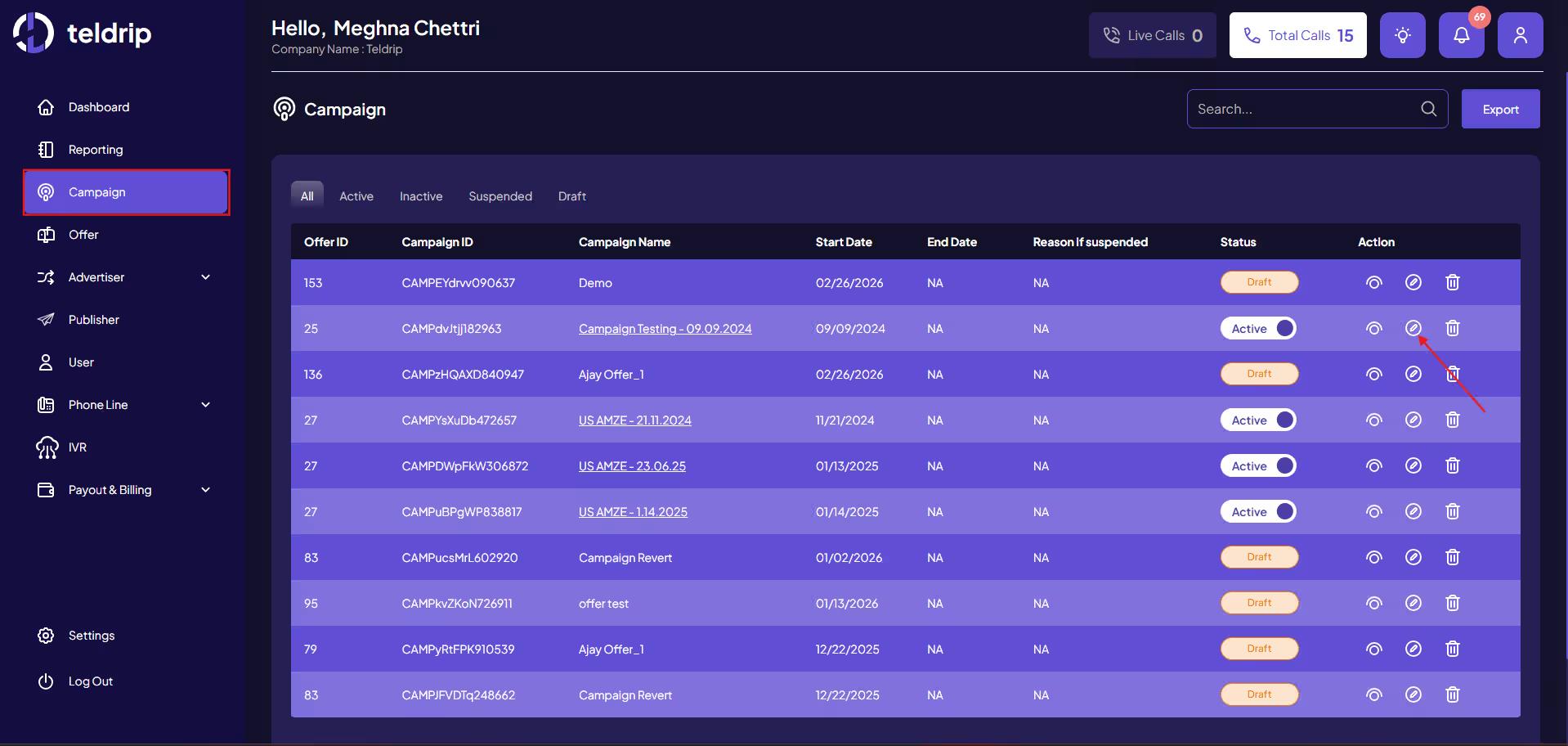
If the campaign where the coverage settings are to be applied already exists:

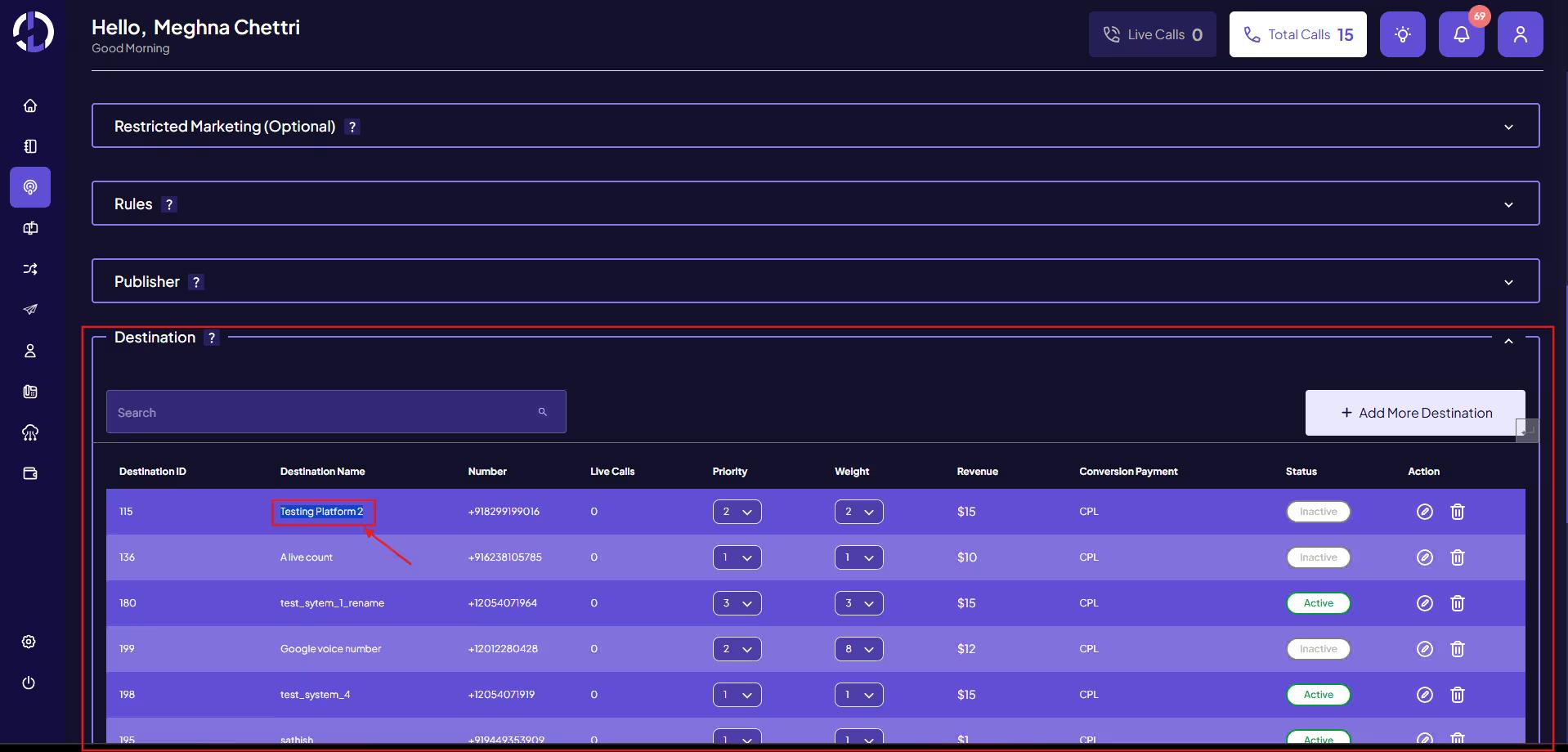
Go to Campaign Module

Click Edit Campaign

Click Edit Campaign

Navigate to the Destination section

Identify the Destination where coverage needs to be applied

Identify the Destination where coverage needs to be applied

If the campaign where the coverage settings are to be applied has not been created yet

  1. Create a New Campaign

  2. Configure the Destination

  3. Note the Destination Name where coverage rules will be applied

Once the destination is identified, proceed to configure coverage.

Configure Coverage Settings

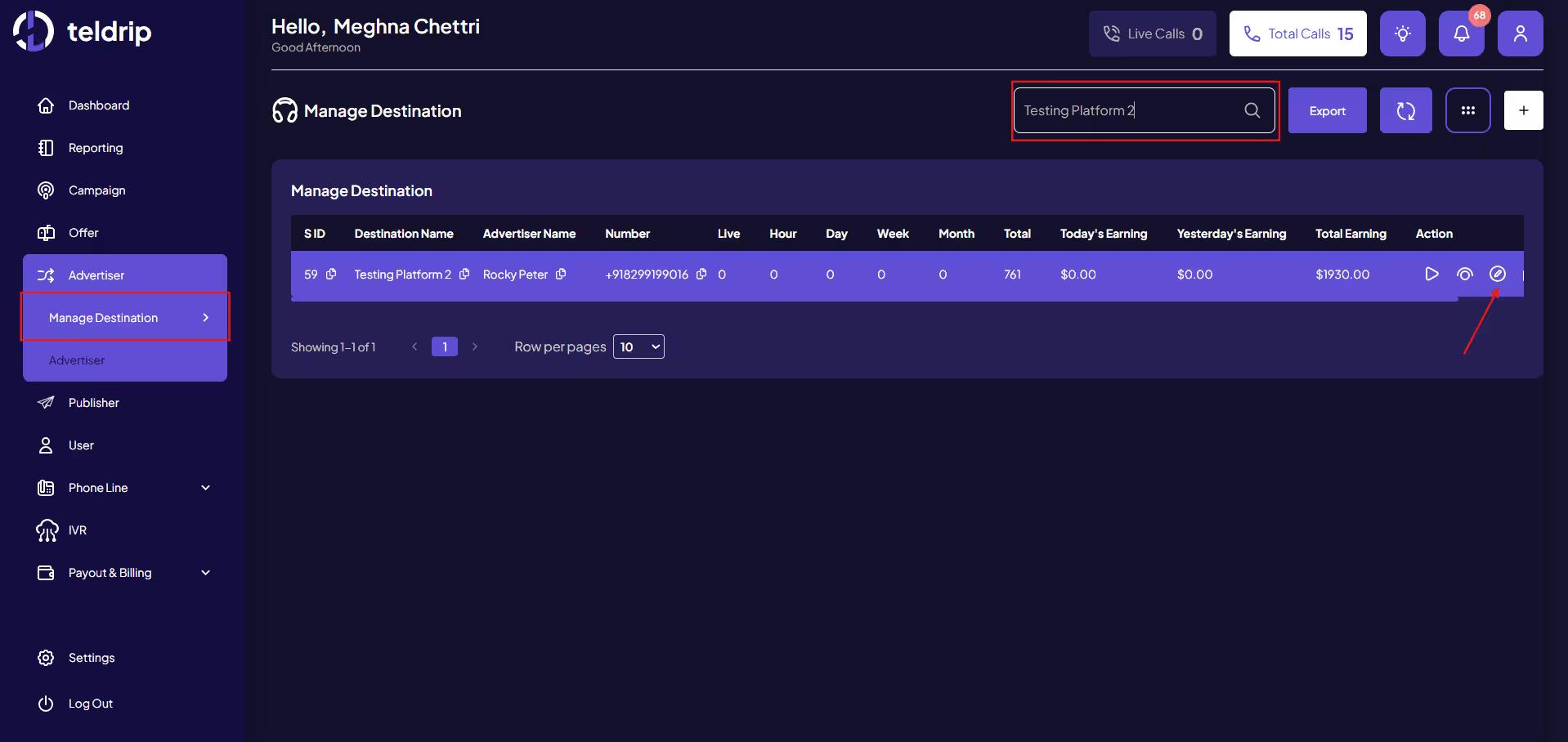
Go to the Destination Module

Open the required Destination

Open the required Destination

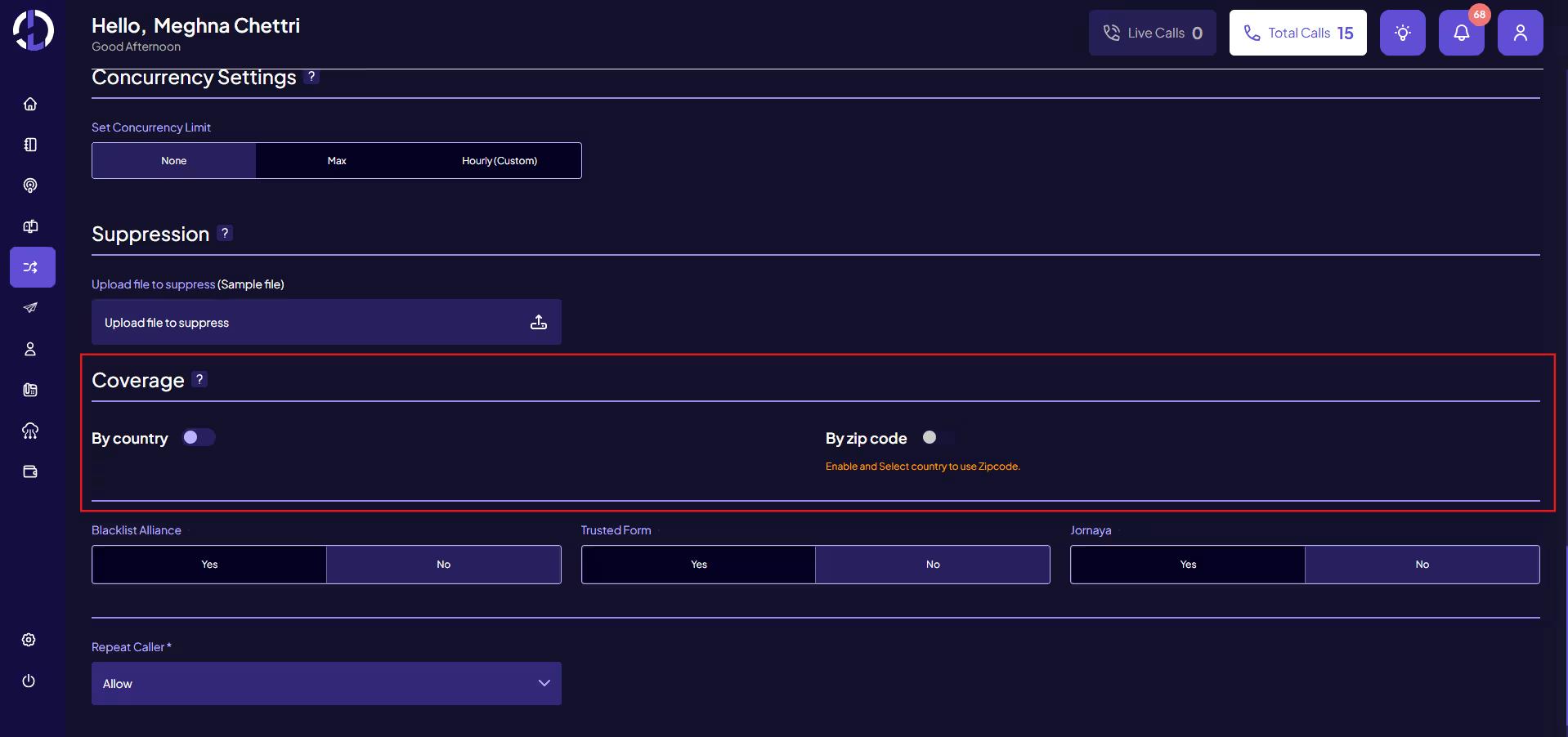
Navigate to Coverage Settings

Navigate to Coverage Settings

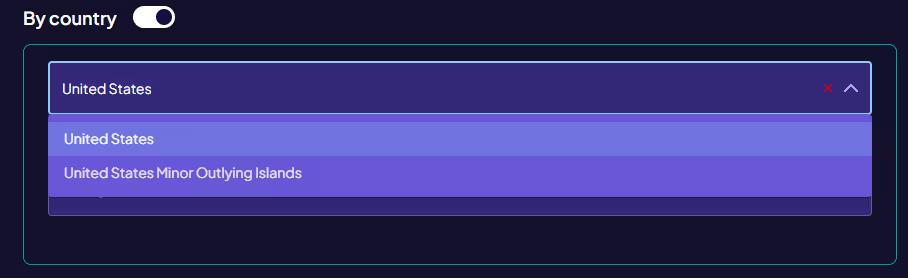
Step 1: Select Country

Choose the Country from the Country dropdown where calls should be allowed from. If all states within a country are allowed, there is no need to select states separately.

Step 1: Select Country

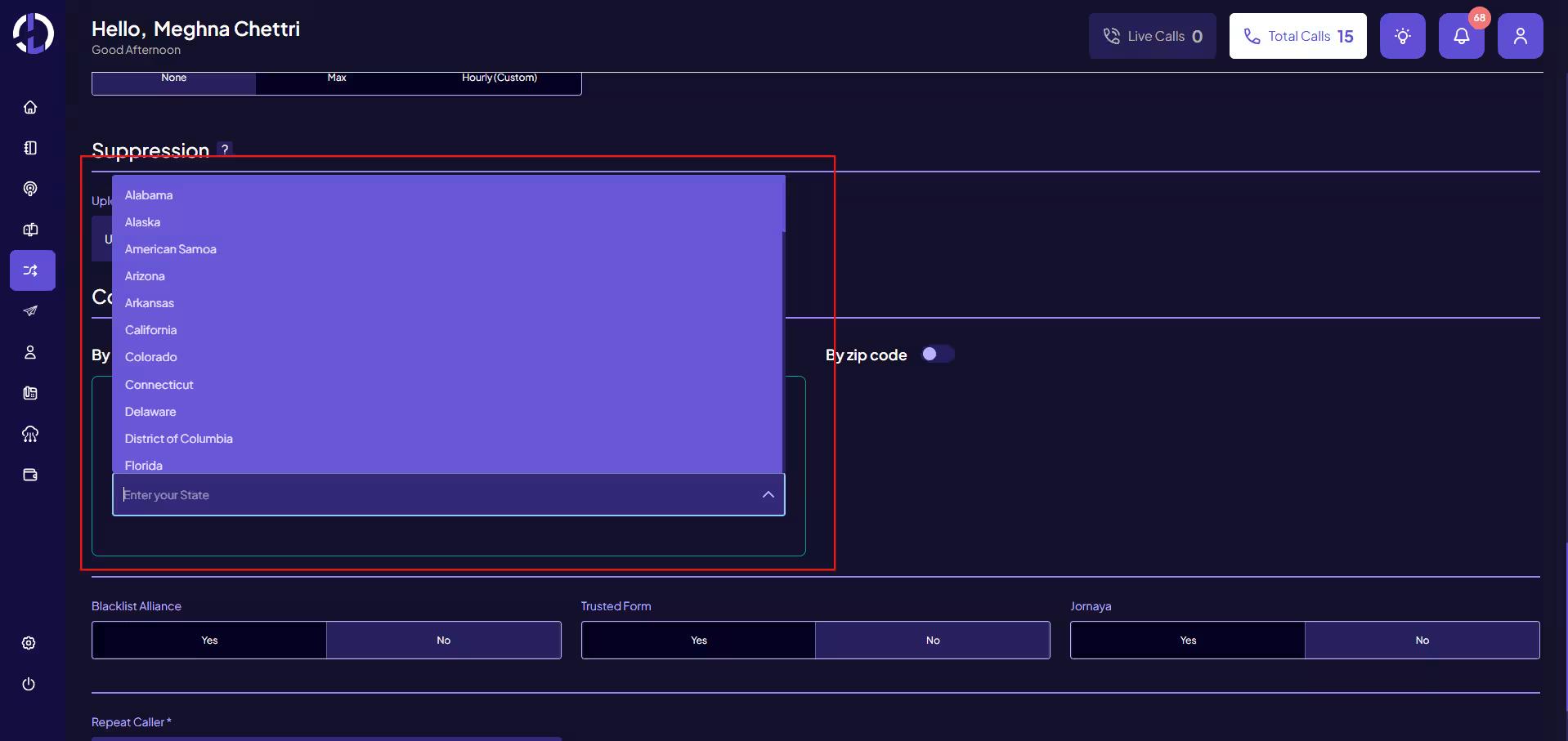
Step 2: Select State

Choose one or more States from the States dropdown.

Step 2: Select State

Important Behavior:

  • If a State is selected, calls from all ZIP Codes within that state are allowed by default unless they are in the exclude list of ZIP Codes

  • ZIP Code rules can then be used to fine-tune the ZIP Code Settings.

Country and State coverage settings work independently and do not require an IVR. If you only want to route calls based on Country or State, you can configure these settings directly in the Destination Coverage Settings, and calls will be routed accordingly.

Configure ZIP Code Routing

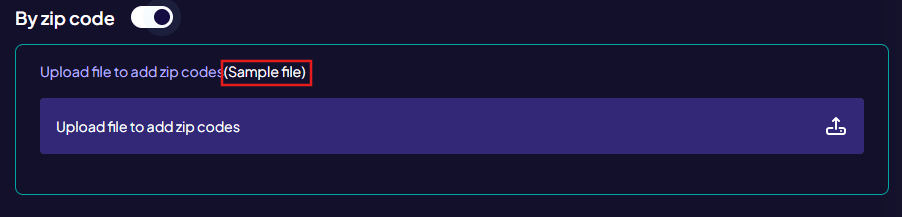
ZIP Code routing allows you to include or exclude specific ZIP Codes.

A sample CSV file is available with the ZIP Code Routing toggle for reference.

Configure ZIP Code Routing

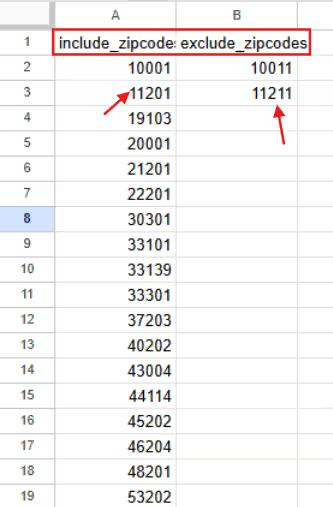
Upload a CSV file containing the ZIP Codes.

The CSV file contains two columns:

Column

Purpose

Included

Allows ZIP Codes that may not belong to the selected state(s)

Excluded

Blocks ZIP Codes even if they belong to the selected state(s)

Rules for ZIP Code Routing

Included ZIP Codes

  • Used to allow calls from ZIP Codes outside the selected states

  • These ZIP Codes will always be allowed

Example:

  • Selected State → California

  • Included ZIP → 10001 (New York)

  • Calls from 10001 will still be allowed

Excluded ZIP Codes

  • Used to block specific ZIP Codes from selected states

  • These ZIP Codes will always be blocked

Example:

  • Selected State → California

  • Excluded ZIP → 90001

  • Calls from 90001 will not be routed

Why an IVR is Required for ZIP Code based Routing

Country/State settings define which locations are allowed. The Country/State settings can work independently, but if ZIP Code based routing is required, an IVR is needed to capture the caller’s ZIP Code.

To verify this, a ZIP Code IVR must be created.

The IVR collects the caller’s ZIP Code and checks whether it matches the coverage settings configured on the destination.

Only when the ZIP Code matches the allowed coverage will the call proceed.

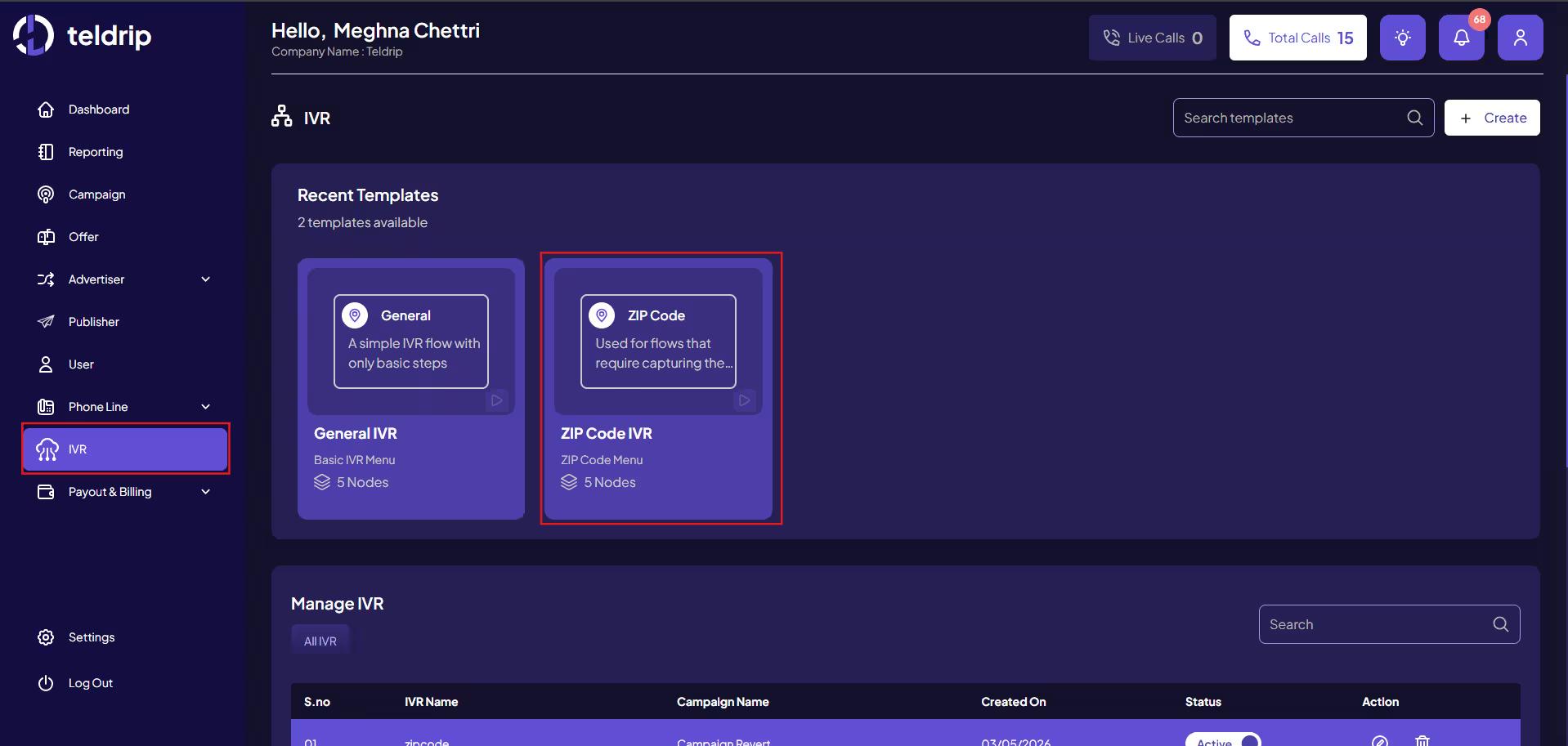
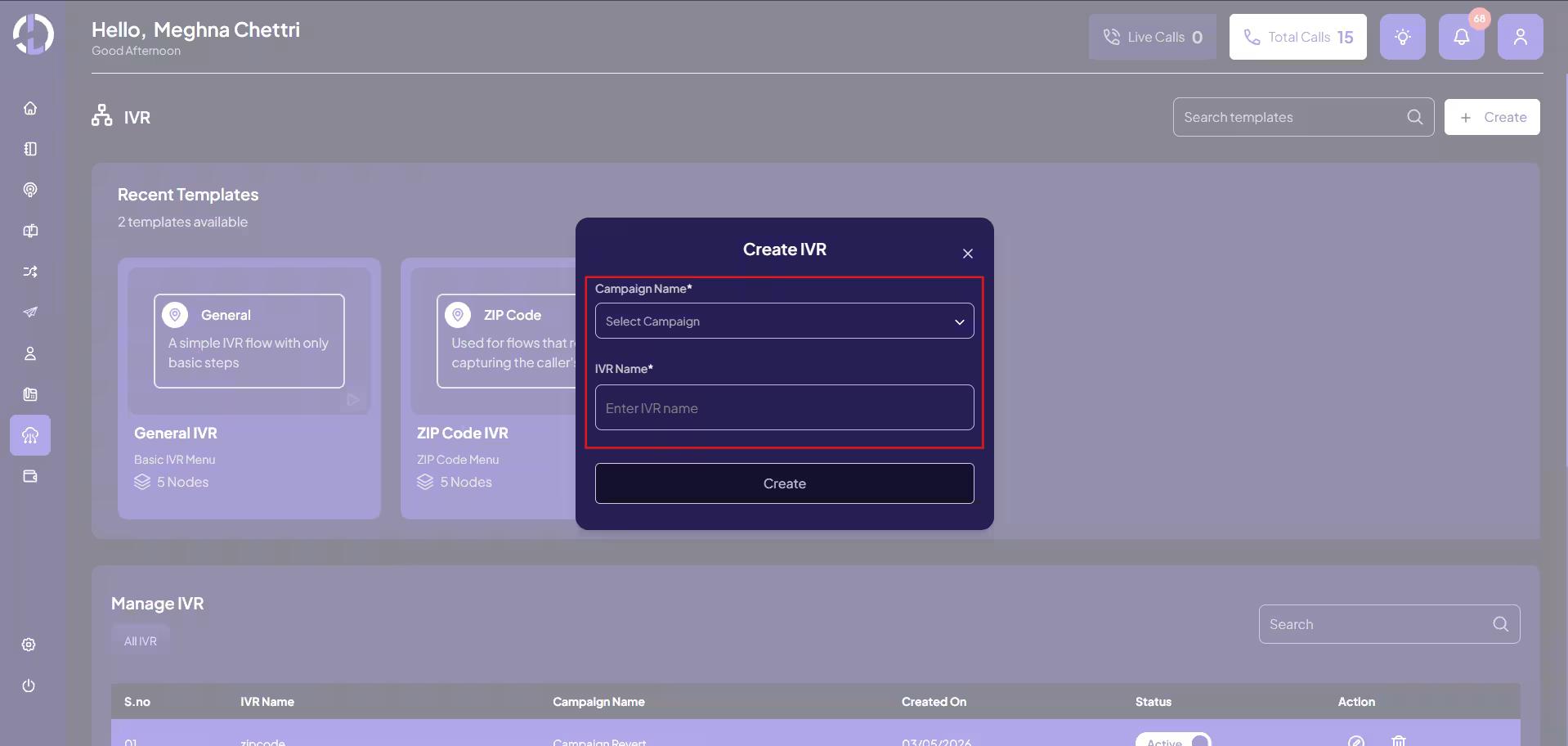
Create the ZIP Code IVR

  1. Go to the IVR Module

  2. Select the ZIP Code IVR Template

Create the ZIP Code IVR

 3. Select Campaign to which the IVR is to be linked and the IVR Name

Configure the IVR Flow

Configure the following nodes in sequence:

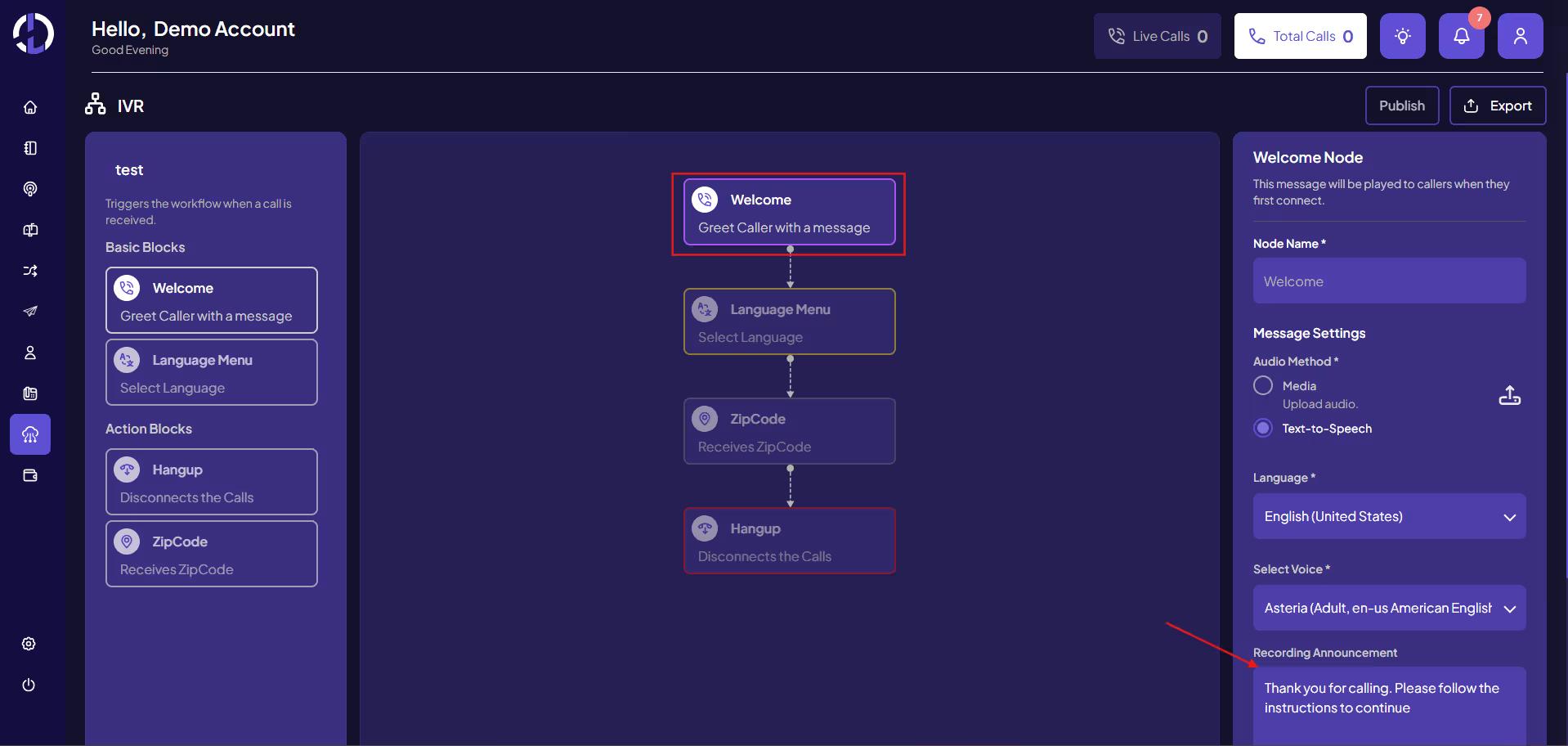
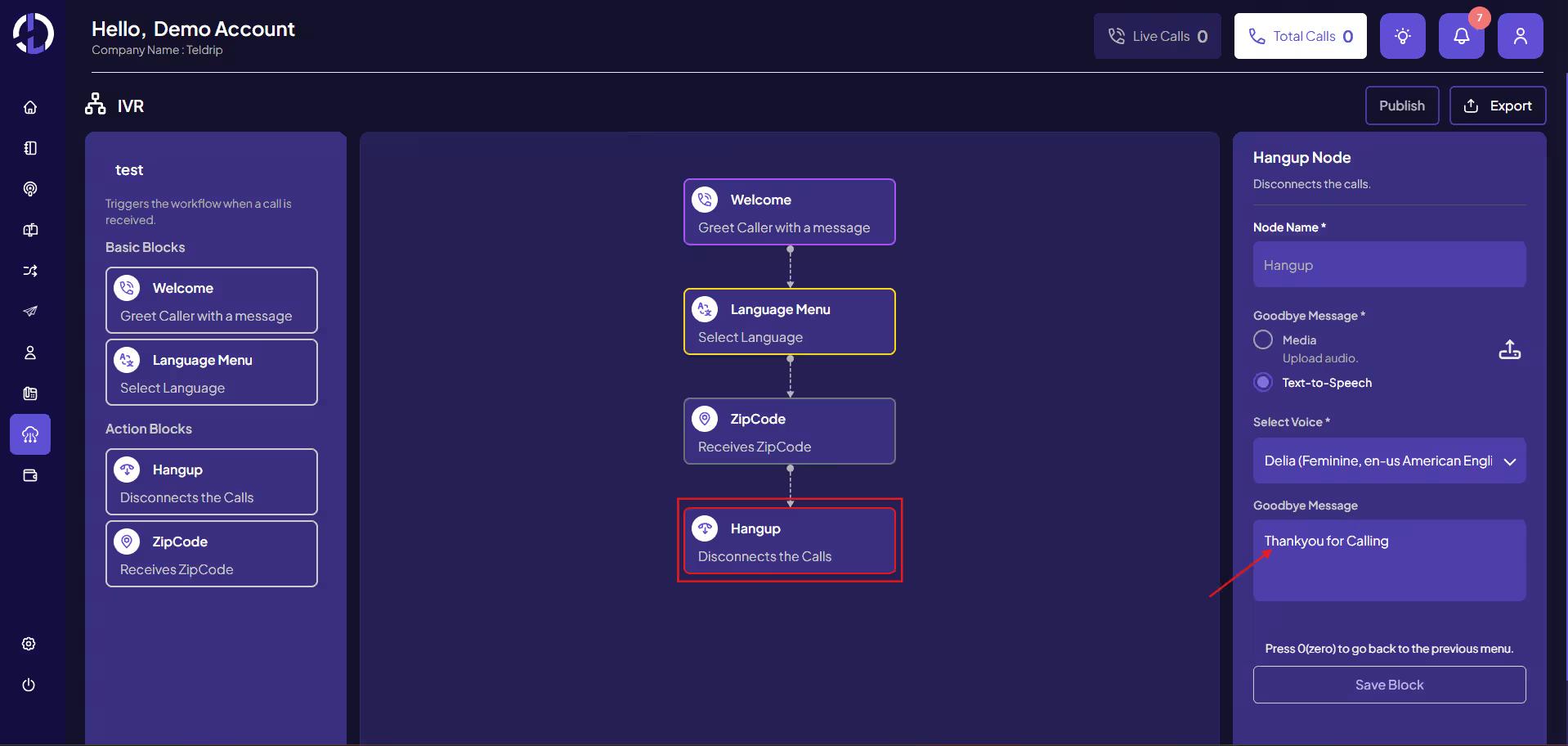
1. Welcome Node

Plays a greeting message for the caller.

Example: Thank you for calling. Please follow the instructions to continue.

Configure the IVR Flow

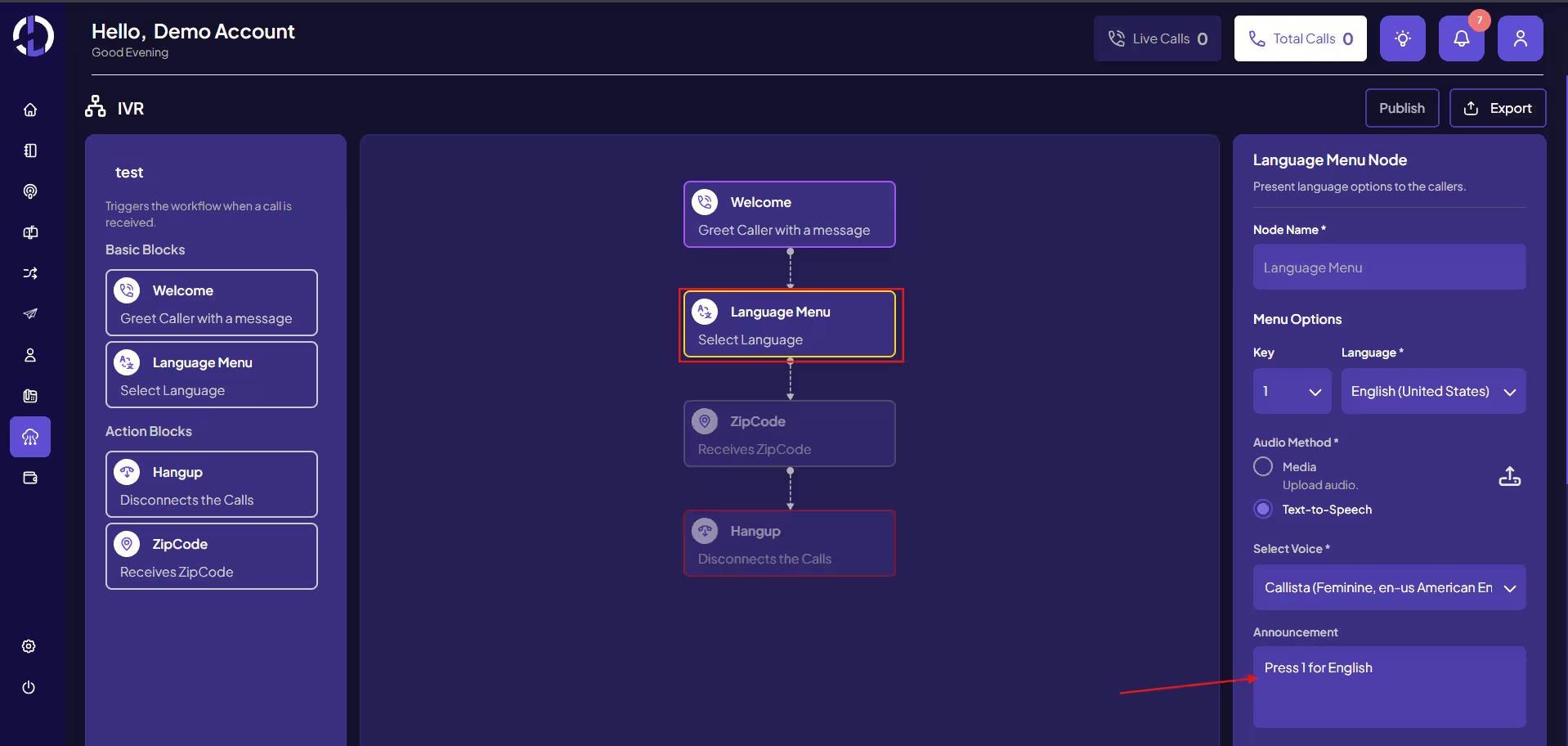
2. Language Node

Allows callers to select their preferred language.

Example:

  • Press 1 for English

  • Press 2 for Spanish

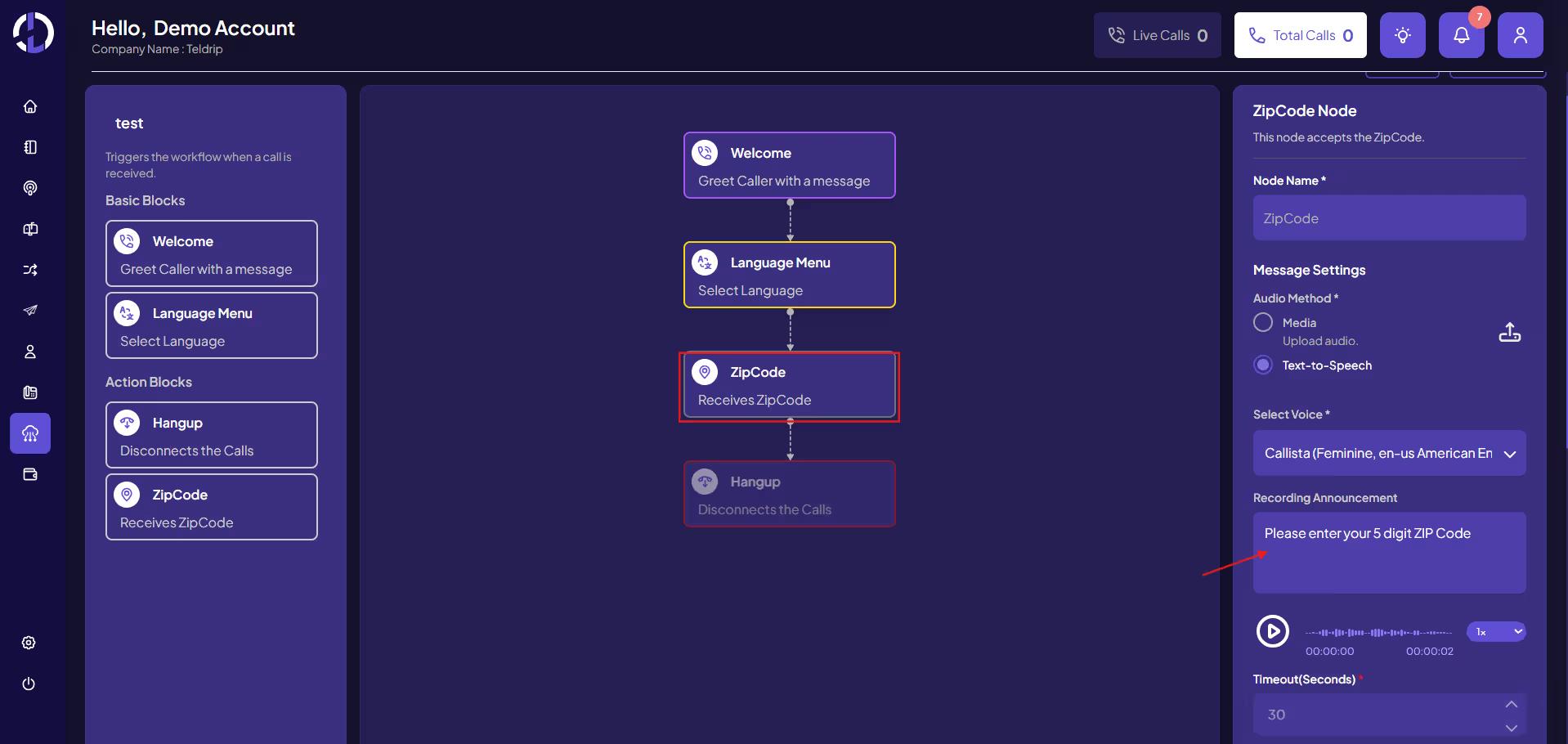
3. ZIP Code Node

This node captures the caller’s ZIP Code. The call is routed to the destination only if the caller’s ZIP Code matches the ZIP Code rules configured in the destination coverage settings.

The system then:

  1. Reads the ZIP Code entered by the caller

  2. Matches it against the Destination Coverage Settings

Routing outcome:

  • ZIP Code Allowed → Call is routed to the destination

  • ZIP Code Blocked → Call will not be routed

4. Hangup Node

Ends the call after the flow is completed or if the ZIP Code is not valid.

5. Complete Routing Flow

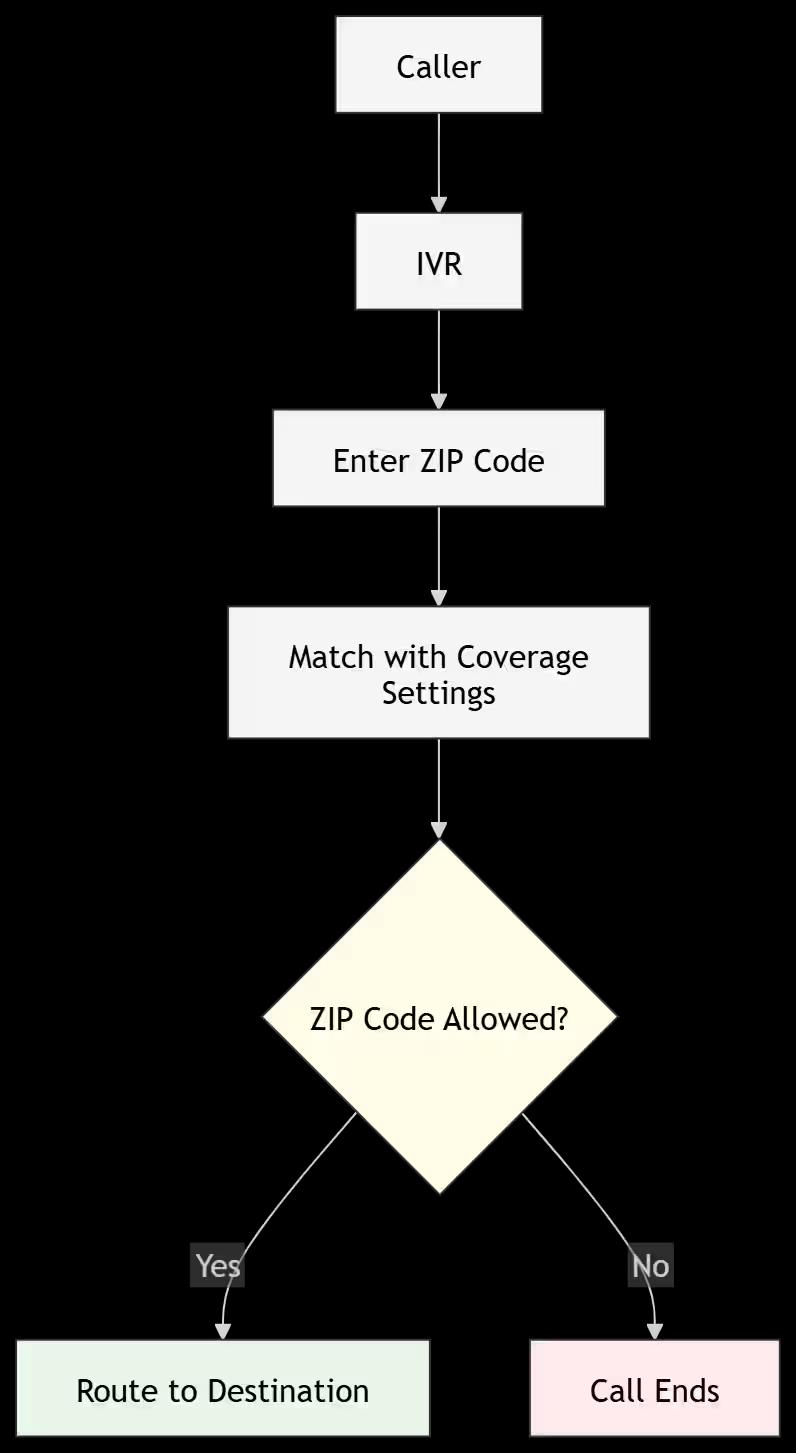
The overall routing flow works as follows:

  1. Caller makes a call

  2. Call enters the IVR

  3. Caller enters their ZIP Code

  4. System checks ZIP Code against Coverage Settings

  5. If ZIP Code matches the allowed coverage → Call is routed to the destination

  6. If ZIP Code does not match → Call is not routed

Documentation

  • Dashboard
  • Reporting
  • Offering
  • Advertiser- Create Destination
  • Advertiser
  • Publisher
  • Billing
  • Payout
  • Profile
  • Phone Line- Line Manager
  • Phone Line- Call Guard
  • Users
  • Campaign
  • Miscellaneous
  • RTB (Real-Time Bidding)